A mascot drawn in code
 NINikki Sophie 🌸6 min read2 views
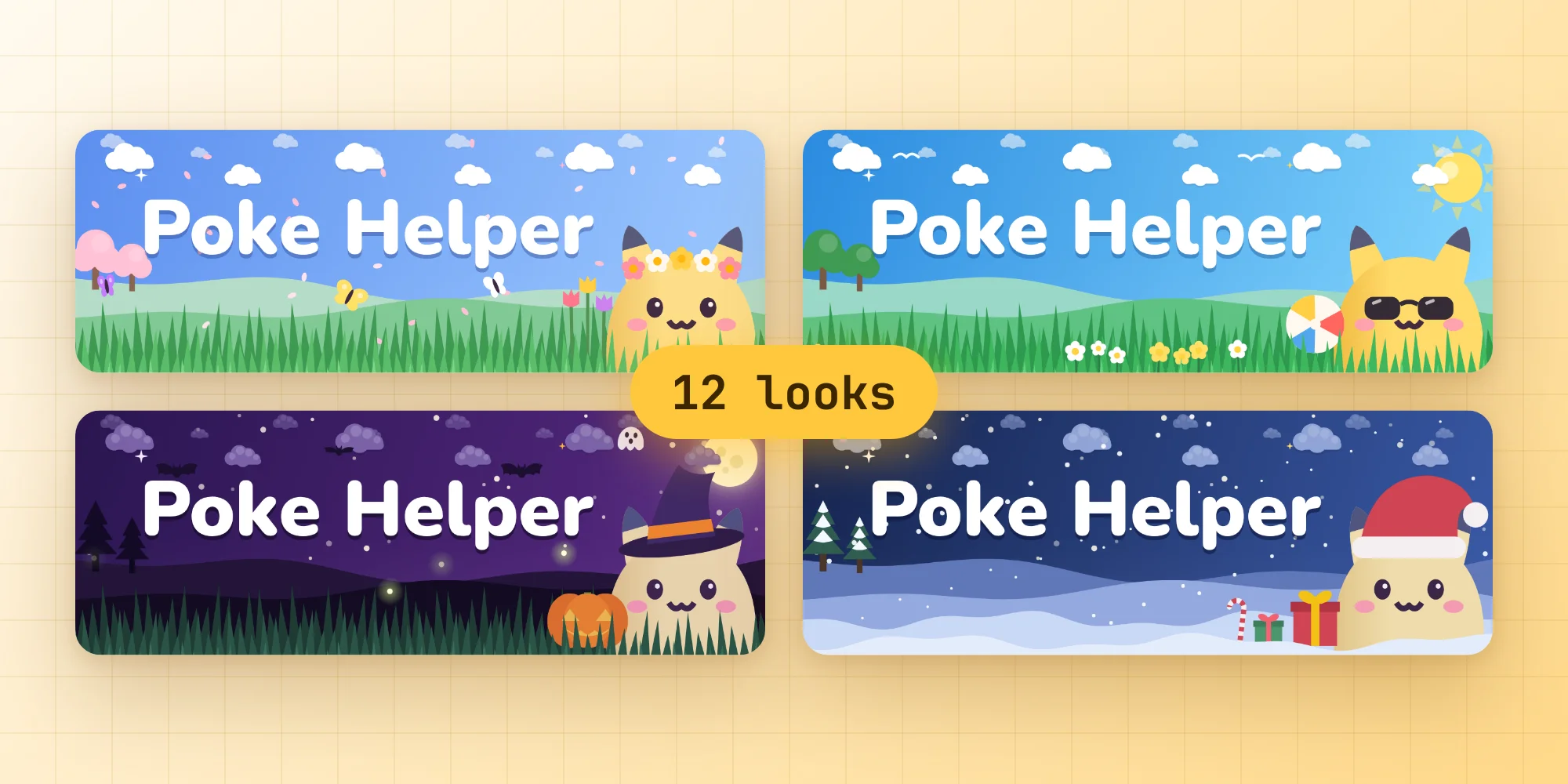
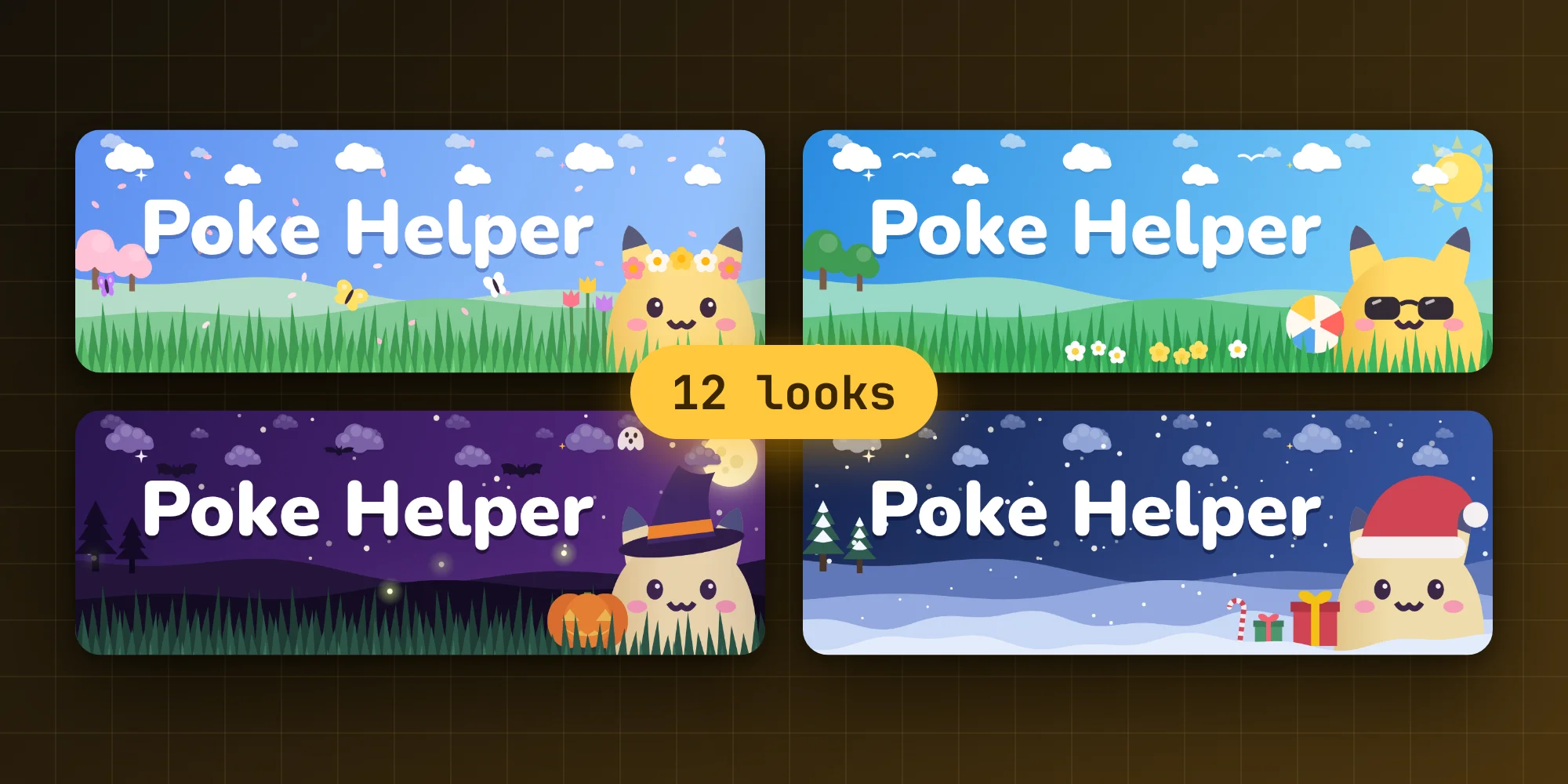
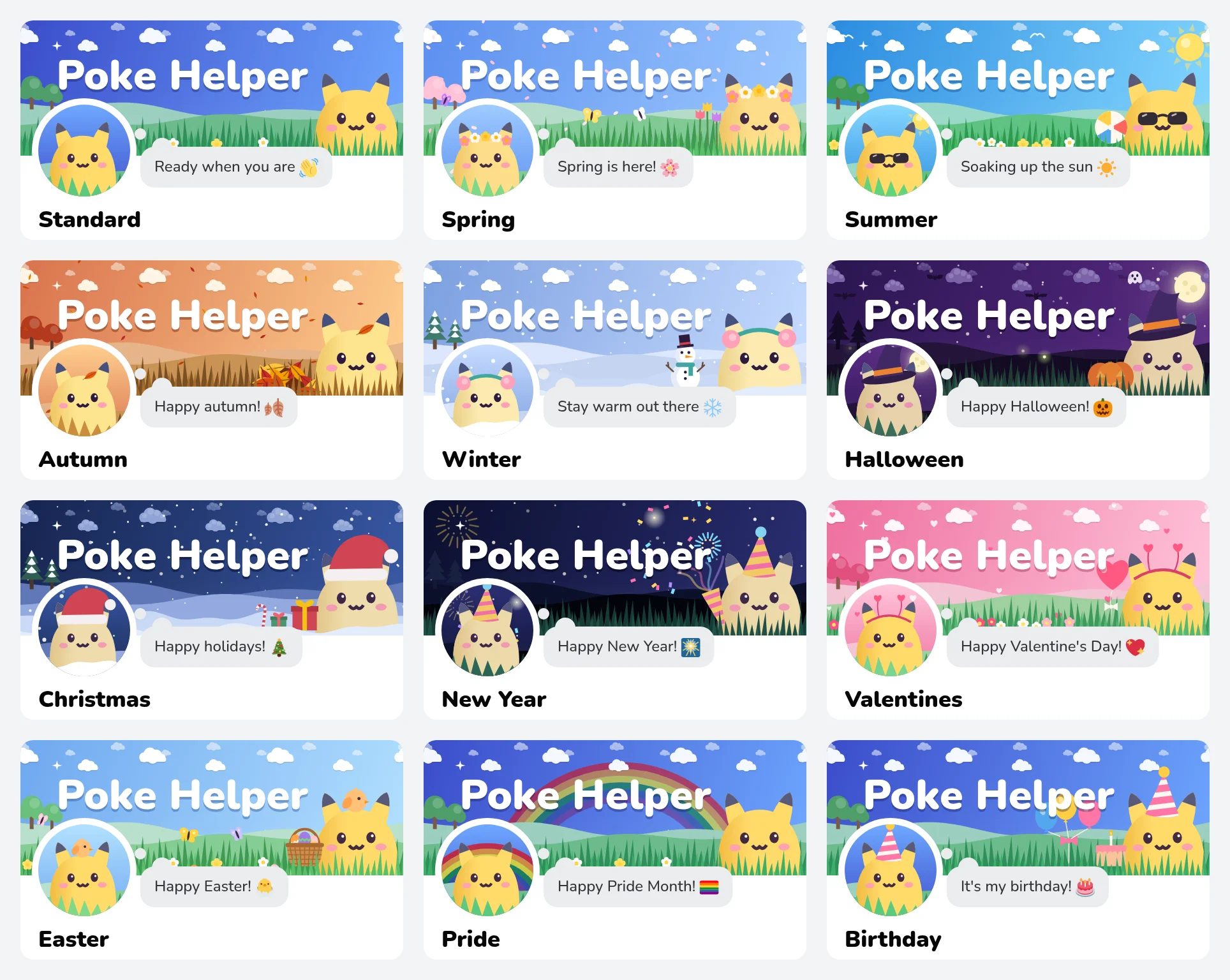
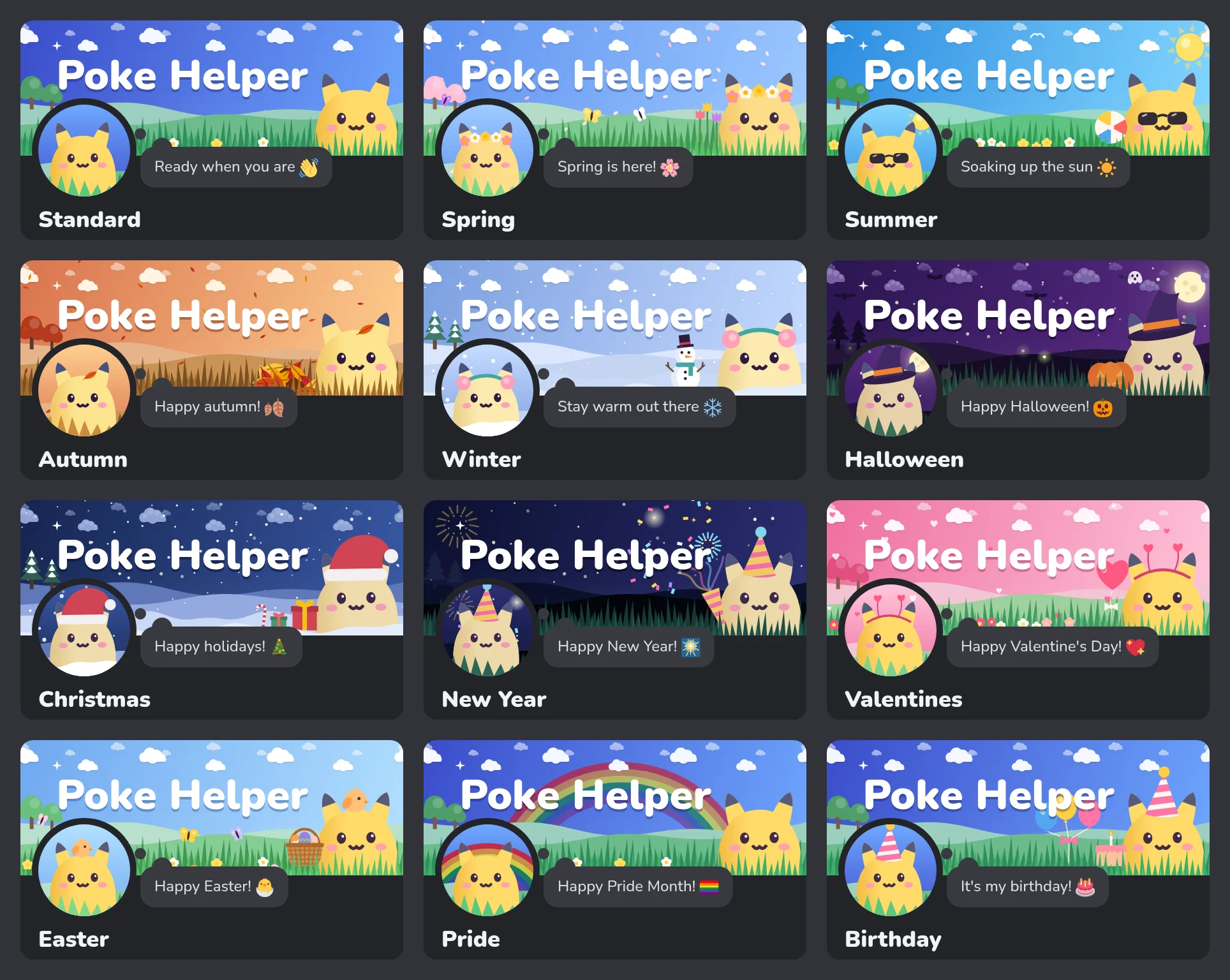
Poke Helper has a mascot: a round, yellow creature with pointed ears, bobbing in tall grass under a blue sky. In October it wears a witch hat under a full moon, in December a Santa hat in the snow, and on the bot's birthday a party hat next to a cake. There are twelve looks, and none of them was drawn by hand. Every frame of the avatar and the banner is drawn by code on a canvas, and the bot changes into the look of the day by itself.
That's the half you see. The other half is everything you shouldn't: things that only show up when they go wrong. This post is both, in that order.
What you see
One scene, twelve lists of colors
The scene is always the same: sky, clouds, far hills, grass, the mascot, and the bot's name across the banner. What changes is described by a theme:
Most of a theme is colors. The rest are small drawing functions for what's special about it: a moon far behind everything, bats crossing the sky, a pumpkin next to the mascot, a witch hat on it. Winter swaps the grass for snow, and the trees on the hills get snow on them by themselves. At night, light tints the mascot and its prop, so they don't glow white against a dark sky.
Because it's all one scene, a fix lands everywhere at once. When I moved the sun and moon to the right, the mascot's shade, the light on the trees and the snowman's shadow all moved with them, in every theme.
Some fixes were pure art direction. The Easter chick is tangerine, because a yellow one disappeared against the yellow mascot. The night hills got lighter toward the back, so they can be told apart from each other and from the sky even in the small overview. And the bats now fly clear of the moon.
Loops with no seam
The avatar and banner are GIFs that loop forever, so the last frame has to lead straight back into the first. Every drawing gets a time from 0 to 1 through the loop, and anything that moves turns a whole number of times in it:
Three bobs per loop, the ears wiggling six times. The clouds drift in patterns that repeat across the banner, each moving exactly one repeat per loop, and the far ones repeat more often, so they seem to move more slowly, as far things do. Nothing ends halfway, so there's no jump where the loop starts over. The mascot blinks twice a loop, on fixed frames.
A calendar with one look a day
Holidays come before seasons, so every day of the year has exactly one look:
- The bot's birthday
- New Year, Valentine's Day and Easter, for a few days each
- Halloween all of October, Christmas all of December, Pride all of June
- Otherwise the season, with the standard look in the first half of the month each season starts
Easter is the only one that moves. It's the first Sunday after the first full moon of spring, worked out with the usual formula for the Gregorian calendar, and the bot wears its Easter look from Palm Sunday through Easter Monday.
The birthday needs no setting either. Like every Discord ID, the bot's own ID starts with the time it was made, so its birthday is read straight out of it. Days are counted in UTC, so the look changes at midnight UTC wherever the bot runs.
The profile that changes by itself
Every 15 minutes the bot checks which look it should wear. Discord only allows a couple of avatar changes an hour, so it only uploads when the look actually changed, and when Discord turns a change down as too soon, it tries again on the next run. A developer command lets me put a look on by hand, and it stays across restarts until I hand it back to the calendar.
The custom status changes with it, like "Happy Pride Month! 🏳️🌈" in June. Most looks have a few, which take turns, one a day, or every six hours on the birthday, as that only lasts a day. They're in English, as a status is the same in every server. And it all only runs with PROFILE_THEMES=on, so my development copy, which logs in with the same token, doesn't fight the real one over the profile.
What you shouldn't see
Drawing the scenes was the fun half. Getting them into a GIF, on a small server, was the other. Every one of these was a bug I could see, and the fix made it disappear:
| What I saw | Why | What fixed it |
|---|---|---|
| Grass that didn't move, flickering | a color landed on a different palette color each frame | an exact lookup for every color |
| Swaying grass edges, flickering | two palette colors fit about equally well | a pixel keeps last frame's color if it's still close |
| A trail behind every cloud | that rule, applied to pixels that didn't move | only pixels that change keep their color |
| A speckled sky | the canvas dithers its gradients | gradients worked out pixel by pixel |
| The bot killed on the server | almost 10 GB of memory for every look | frames written one at a time, memory freed every eight |
| The bot silent while it drew | 21 seconds of drawing on its main thread | worker threads |
Grass that flickered
A GIF has 256 colors for the whole loop. The library I use, gifenc, picks a palette and then gives every pixel its nearest color. Its fast way of doing that sorts colors into coarse buckets and gives the whole bucket the color that fits the first pixel of it in that frame. So one and the same color could land on a different palette color from frame to frame, depending on what else was in the picture, and things that didn't move at all flickered.
So every color is now looked up exactly and remembered, in a table with a place for each of the 16 million colors there are. That's 16 MB however many come up, and the same colors come up again and again through a loop.
Exact wasn't enough either. The soft edge of a swaying blade of grass changes its real color a tiny bit every frame, and can flip between two palette colors that fit it about equally well. So a pixel keeps the color it had in the frame before, as long as it's still about as close as the best one:
A cloud that left a trail
That moved > 0 is the fix for the next bug. Without it, a cloud passing over the sky left a trail behind: the color a sky pixel got while the cloud's edge crossed it was close enough to keep, so it kept it forever. A pixel that doesn't move at all now always gets its own best color back.
A sky full of speckles
A canvas gradient is dithered, sprinkled with tiny random differences that are invisible in a PNG and turn into speckles once squeezed into 256 colors. So the sky and the Halloween moon's glow are worked out pixel by pixel instead, and come out as clean bands.
Pixels that stay the same between frames aren't written again at all. They get a palette slot that means "as in the frame before", which costs almost nothing.
A GIF that needed 10 GB
On the server, the bot was killed. Drawing every look needed almost 10 GB of memory, more than the server had to give it.
Reading a canvas's pixels gives them in memory that Bun's garbage collector doesn't watch, and frees only when it gets back to its event loop. A GIF was made in one go, so every frame it read stayed in memory until the whole GIF was done. Now the frames are written one at a time, with a short break every eight frames that lets the finished ones be freed, and the same few arrays are reused instead of new ones for every frame. It peaks at about 300 MB, and the GIFs come out the same to the byte.
A bot that went quiet
The drawing also moved into worker threads. Drawing every look takes 8 seconds instead of 21, one GIF per core, and when the bot draws its new avatar, it does so in a thread of its own, so it keeps answering everyone else while it draws.
Nothing to see
Drawing in code made twelve looks cheap. A new one is mostly a list of colors and one or two small drawings, and the bot puts it on by itself. The second half of this post is where the time went, and if it's all done right, none of it shows.
No comments yet. Be the first!