Running out of database connections on Vercel
 NINikki Sophie 🌸3 min read0 views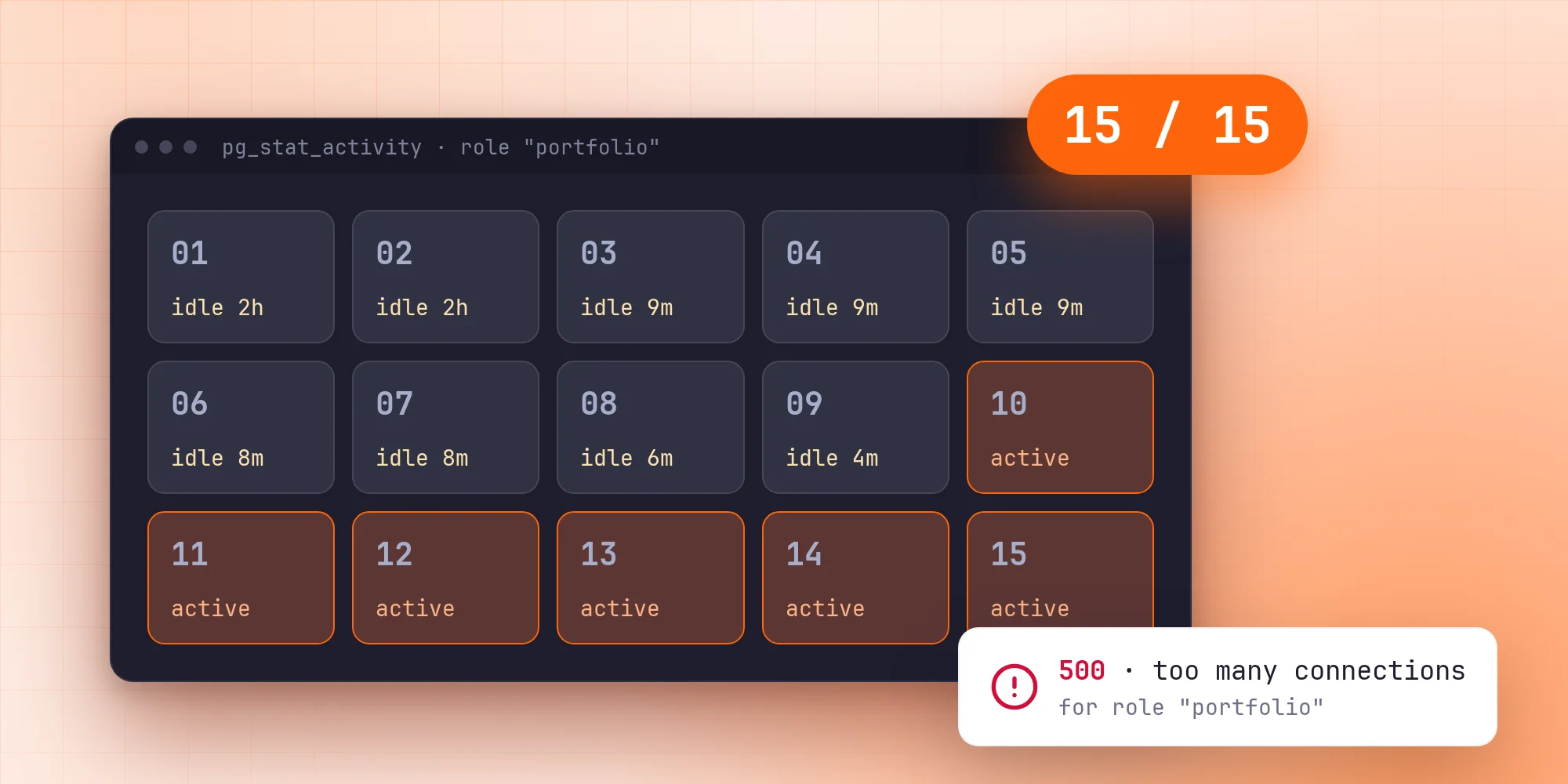
The evening the home page broke
On a Friday evening in October, a few seconds were enough to break this site. The home page answered with a server error, and every request that looked up who was signed in failed. The logs all said the same thing:
Too many database connections opened: too many connections for role "portfolio"
Eighteen of these errors arrived within about six seconds, and then it was quiet again. Nothing had been deployed, and there was hardly any traffic. So what was using up the connections?
How the database is set up
The site runs on Vercel, but its database doesn't. PostgreSQL runs on my own server, next to the databases of a few other projects of mine. Every project gets its own role, and every role has a connection limit, so one misbehaving site can't take the connections the others need. The portfolio's role may hold 15 connections at once.
On the site's side, Prisma talks to the database through a small pg pool:
const pool = new Pool({
  connectionString: process.env.DATABASE_URL,
  max: process.env.NEXT_PHASE === 'phase-production-build' ? 2 : 5,
});
// Lets Vercel close idle connections before it suspends the function
attachDatabasePool(pool);
Five connections per instance, two per worker during a build. With a limit of 15, that leaves room for three busy instances. It looked like plenty.
Looking at the database itself
The error came from the role's limit, not the server's, so the place to look was pg_stat_activity, which lists every open connection:
select usename, state, count(*), max(now() - state_change)
from pg_stat_activity
group by 1, 2;
The portfolio role held nine connections, and all of them were idle. Most came from Vercel and had been sitting there unused for several minutes. Two came from my own laptop and had been idle for over two hours, left behind by a dev server I had long stopped.
Nothing was wrong with any single request. The problem was the connections nobody was using any more.
Where idle connections come from
A Vercel function doesn't run all the time. Between requests its instance is paused, and when it isn't needed for a while it is shut down. A connection pool in that instance can only close its idle connections while its code is running. attachDatabasePool from @vercel/functions helps with that by keeping an instance alive until its pool has let go, but as far as I can tell an instance that is frozen or shut down at the wrong moment simply leaves its sockets open.
From the database's point of view, those connections still exist. Nobody will ever use them again, but they count against the role's limit, and PostgreSQL by default never closes an idle session on its own.
So the leftovers piled up quietly. Then a short burst of real traffic started two or three fresh instances, each opening its five connections, and the role hit 15.
Fixing it on both ends
The most reliable fix sits on the side that never sleeps: the database. PostgreSQL can close sessions that have been idle for too long, and the setting can be made for just one role:
alter role portfolio set idle_session_timeout = '2min';This only applies to sessions opened after the change, so I closed the existing leftovers by hand once with pg_terminate_backend. Since then, a connection that an instance forgets is gone after two minutes at most. The other projects on the server aren't affected.
On the site's side, the pool now hands idle connections back after five seconds instead of the default ten. That doesn't help an instance that is already frozen, but it makes the window smaller. More importantly, the pool now expects the server to close connections:
const pool = new Pool({
  connectionString: process.env.DATABASE_URL,
  max: process.env.NEXT_PHASE === 'phase-production-build' ? 2 : 5,
  idleTimeoutMillis: 5000,
});
// A connection the server closed while idle is dropped from the pool rather than crashing the process
pool.on('error', (error) =>
  console.warn('Idle database connection closed:', error.message),
);
Without that listener, a connection closed by the server while it sits in the pool emits an error nobody handles, and Node ends the process. With the new timeout on the server, that would have become the next problem.
What I took from it
- Per-role limits did their job. The portfolio broke, but nothing else on the server did. I'd rather have one site fail loudly than all of them slowly.
- Clean-up belongs on the side that is always awake. Serverless instances can't promise to close anything. The database can.
- Look at the database, not just the app. The app's logs only said "too many".
pg_stat_activityshowed in one query whose connections they were and how long they had been idle.
The errors stopped as soon as the stale connections were closed, and they haven't come back since.
No comments yet. Be the first!