Signing in with Discord, written by hand
 NINikki Sophie 🌸5 min read0 views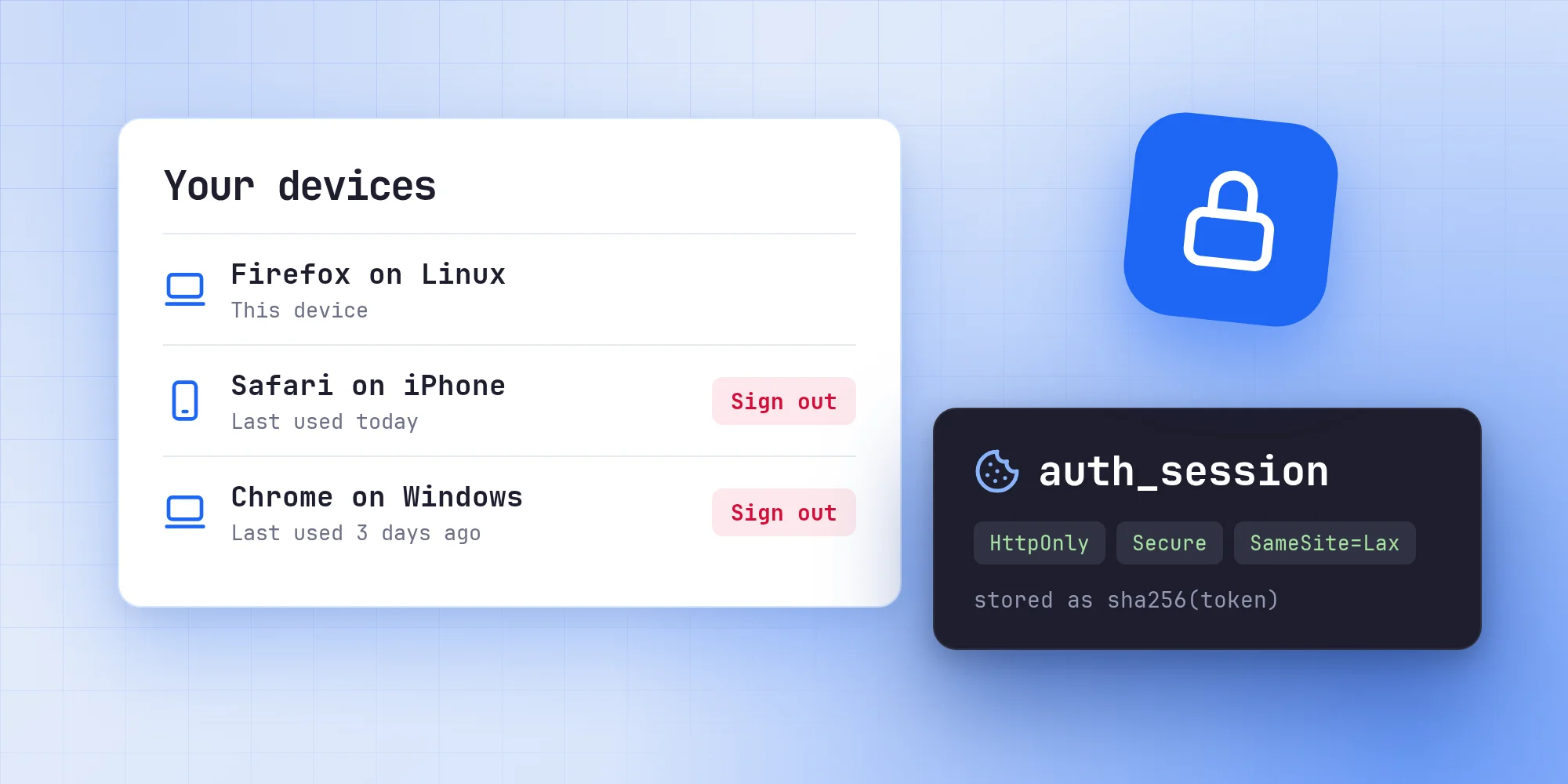
There is no auth library on this site. Signing in with Discord takes three route handlers, one file of helpers and two tables in the database. I wanted to know exactly what happens between clicking "Sign in" and seeing my name in the corner.
What the site needs
Discord is the only way in, and the site only wants to know who you are. It asks Discord for the identify scope and nothing else, so it never sees your email address or your servers.
From your Discord profile it keeps your Discord id, your username, your display name and a link to your avatar. Discord also hands back access and refresh tokens, but the profile is all the site needs, and only at sign-in, so the tokens are thrown away. Signing in also clears any tokens an older version of the site had stored.
Starting a login
The "Sign in" button links to /api/auth/login. That route makes a random state value, puts it in a cookie called oauth_state and sends you on to Discord with the same value in the URL. The cookie is HTTP-only, SameSite=Lax, secure in production, limited to /api/auth and gone after ten minutes.
If you sign in from a post, the post's path goes into a second short-lived cookie, so you end up back where you started. Only paths on this site are accepted there, so a crafted link can't use the login to send you somewhere else.
The button is a plain <a>, not a Next.js <Link>. A prefetch of the login route would start a new login in the background and replace the state of one you are in the middle of.
Finishing it
Discord sends you back to /api/auth/callback with a code and the state. The callback first reads the state cookie and deletes it, whatever happens next. If the state in the URL is missing or doesn't match, the login stops there. The comparison runs in constant time. This is what keeps someone from sending you a link that signs you in to their account: the callback only finishes a login that your own browser started, and only once.
Then the callback trades the code for a token, fetches your profile, and creates or updates your user. Last, it starts a session:
const sessionToken = crypto.randomUUID();
const expiresAt = new Date(Date.now() + 30 * 24 * 60 * 60 * 1000);

await prisma.$transaction([
  // ...remove expired sessions, and this device's previous one
  prisma.session.create({
    data: {
      sessionToken: hashSessionToken(sessionToken),
      userId: user.id,
      expiresAt,
      userAgent: req.headers.get('user-agent')?.slice(0, 300) ?? null,
    },
  }),
]);

cookieStore.set(SESSION_COOKIE, sessionToken, {
  httpOnly: true,
  secure: process.env.NODE_ENV === 'production',
  expires: expiresAt,
  path: '/',
  sameSite: 'lax',
});
The browser gets the token in a cookie called auth_session. The database only gets its SHA-256 hash. A leaked copy of the sessions table would be a list of hashes, and a hash doesn't sign anyone in.
A session lasts 30 days from the moment you sign in, and using the site doesn't extend it. Expired sessions are cleared out whenever someone signs in, since nothing else would ever remove the ones nobody comes back to.
Reading the session
Every page that cares who you are calls one function, getCurrentSession. It reads the cookie, hashes it, looks the hash up and returns the session with its user. An expired session gets deleted on the spot. The function is wrapped in React's cache, so the navbar, the page and anything else in the same request share one lookup.
The site runs with Cache Components and Partial Prefetching turned on, which brought one surprise. During the prerender of the shell, cookies() resolves, so the database query would have run there too. The database driver uses random values, which aren't allowed in a prerender, and a session should never be cached anyway. So the lookup waits for a real request first:
const sessionToken = cookieStore.get(SESSION_COOKIE)?.value;
if (!sessionToken) return null;

await connection();

const session = await prisma.session.findUnique({
  where: { sessionToken: hashSessionToken(sessionToken) },
  include: { user: true },
});
Each session also has a lastSeenAt time for the device list. The page only shows it to the day, so it is written at most every fifteen minutes, and only after the response has been sent, using after().
Roles
Every user has one of three roles. A user can read and comment. A writer can also write posts and projects. An admin can do everything, including changing other people's roles.
The dashboard checks the role in its layout, but that alone isn't enough. Next.js renders layouts and pages in parallel, so a page could start loading its data before the layout had a chance to redirect. Every dashboard page therefore calls requireWriter() or requireAdmin() at the top, before it loads anything. Only admins get the users page. Server actions check the role again themselves.
Only what the interface needs reaches the browser. The account menu gets a name, a username, an avatar, the role and whether you can write, never the session itself.
Your devices
The account page lists every device you're signed in on, most recently used first. The name comes from the browser's user agent, saved when the session was created. A small function turns it into something like "Firefox on Linux" with an icon for a phone, tablet or computer. It only knows the common browsers and systems, since it just has to tell your own devices apart.
Next to each device are the dates you signed in and last used it. You can sign out any device except the one you're on, or all the others at once. The one you're on signs out through the normal Sign out button, which sends a POST that deletes the session and clears the cookie.
The Refresh button, for when you've changed your name or picture on Discord, signs you in again and asks Discord to skip the Authorize screen. If Discord can't, because you're signed out there or removed the app, the site falls back to the normal sign-in. Signing in again on the same device replaces that device's session, so it doesn't show up twice.
Your data, and leaving
The Download button gives you a JSON file with everything the site keeps about you: your profile, your role, your comments and which posts they belong to, your devices with their dates, and the posts and projects you're listed as an author of. It is only served to you, and never cached.
Deleting your account asks you to type your username first. It removes your profile, your comments and the replies to them, and every session. Posts and projects you wrote stay, because other people may have written them with you. The site won't let its last admin delete themselves, or nobody could manage users any more.
Was it worth it
It's a few hundred lines I would otherwise have imported. In exchange I know where every cookie comes from, what the database holds and why. When Partial Prefetching started running the session lookup during the prerender, the fix was one line in a file I already knew.
No comments yet. Be the first!