Telling a dropped stream from a stopped one
 NINikki Sophie 🌸4 min read1 view
When my internet drops for ten seconds mid-stream, YouTube and Twitch both end the stream. Viewers see "stream offline", and not all of them come back when it starts again. What I wanted was a "be right back" screen that plays while I'm gone, and since my relay already sits between OBS and the platforms, it was the obvious place for one.
Playing something in OBS's place
MediaMTX, which takes the stream from OBS, has a setting for exactly this. With alwaysAvailable, a path plays a file on repeat whenever nobody is publishing to it, and switches back to the publisher when one comes. From the platforms' side, nothing ends. The stream just changes what's in it.
There's a catch. The clip and OBS's stream have to be the same kind of media, so switching between them doesn't break the stream. OBS has to send H.264 video and AAC audio at 48 kHz in stereo, and the clip has to match. If they don't match, MediaMTX turns OBS away, and OBS just says it can't connect. So the relay checks the clip when it starts with ffprobe and says exactly what's wrong with it.
The actual problem
Turning the fallback on created a new problem. Now when I stop streaming in OBS on purpose, the clip plays too. The platforms think I'm still live, viewers watch a "be right back" screen for five minutes, and then the stream ends anyway.
From MediaMTX's side, both look the same: the publisher is gone. But they don't happen the same way, and that's the whole trick.
Quiet before leaving
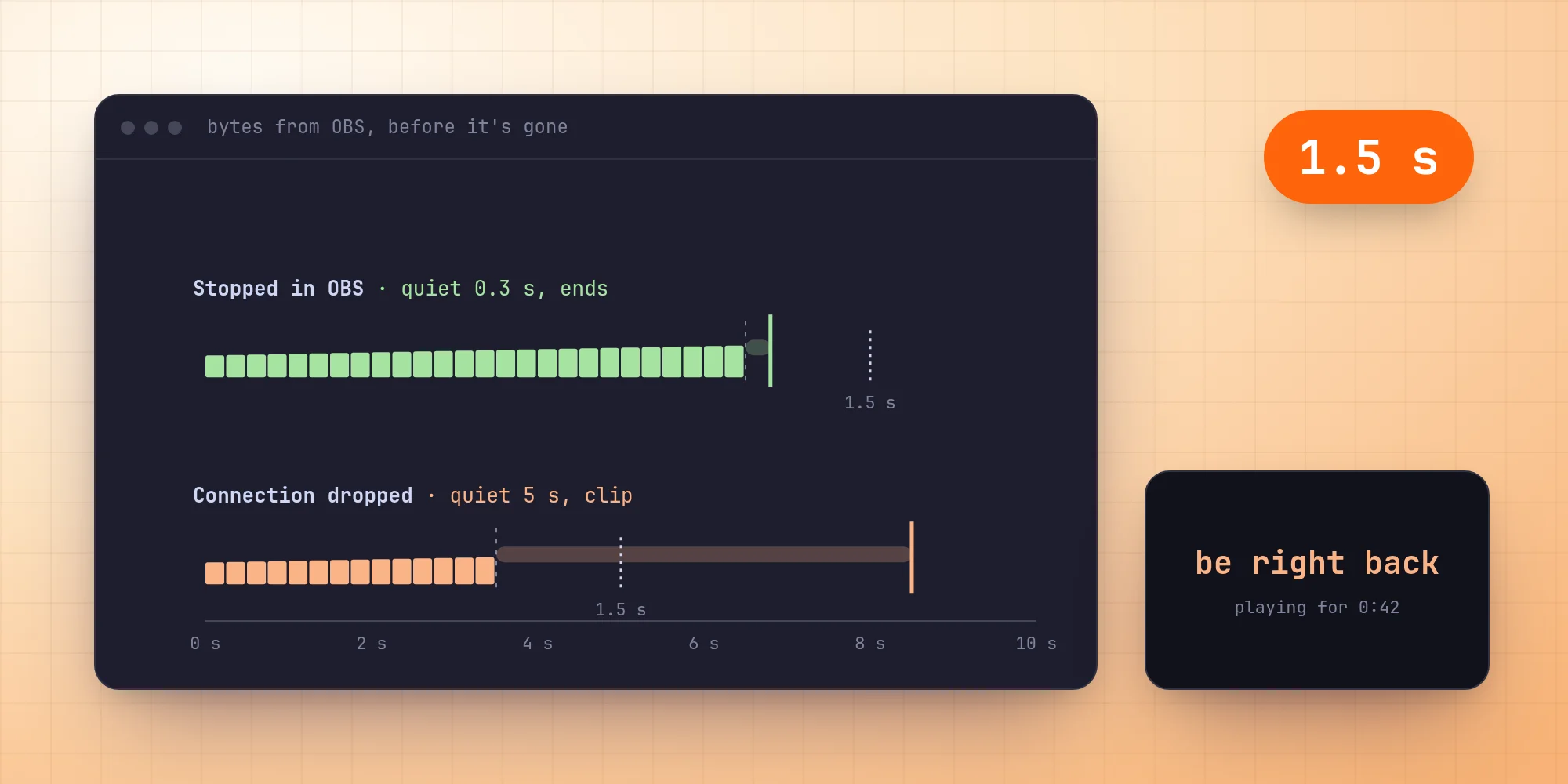
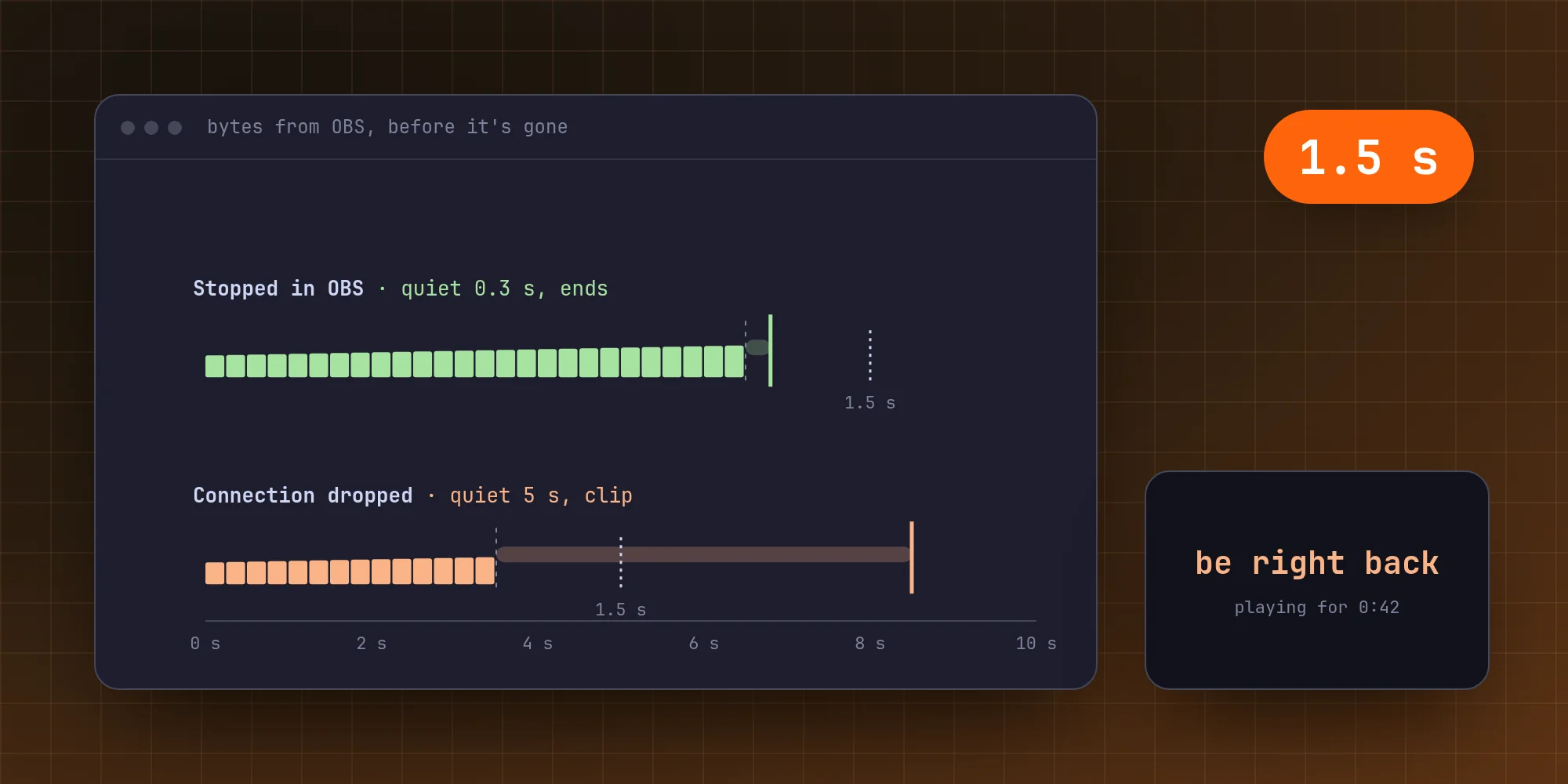
When I click Stop Streaming, OBS sends data right up to the moment it closes the connection. The last bytes arrive and the connection closes at the same time.
When my connection drops, nothing closes anything. Packets just stop arriving. MediaMTX waits until its read timeout runs out before deciding the publisher has gone. I set it to 5 seconds, down from its default of 10, since OBS sends many times a second, and five quiet seconds is a dropped connection. Over SRT, its buffer keeps delivering for about two seconds after the connection is gone, so the gap is about 3 seconds there.
So the question isn't "did OBS leave?" but "how long was OBS quiet before it left?"
Watching the byte counter
Four times a second, the relay asks MediaMTX about the stream. The answer includes how many bytes have come in. Whenever that number changes while OBS is there, the relay notes the time:
When OBS is gone, it looks at how long ago that was:
DROPPED_MS is 1.5 seconds. A stop on purpose is quiet for one or two of the relay's looks at most, so about half a second. A dropped connection is quiet for at least 3. Halfway between them leaves room on both sides.
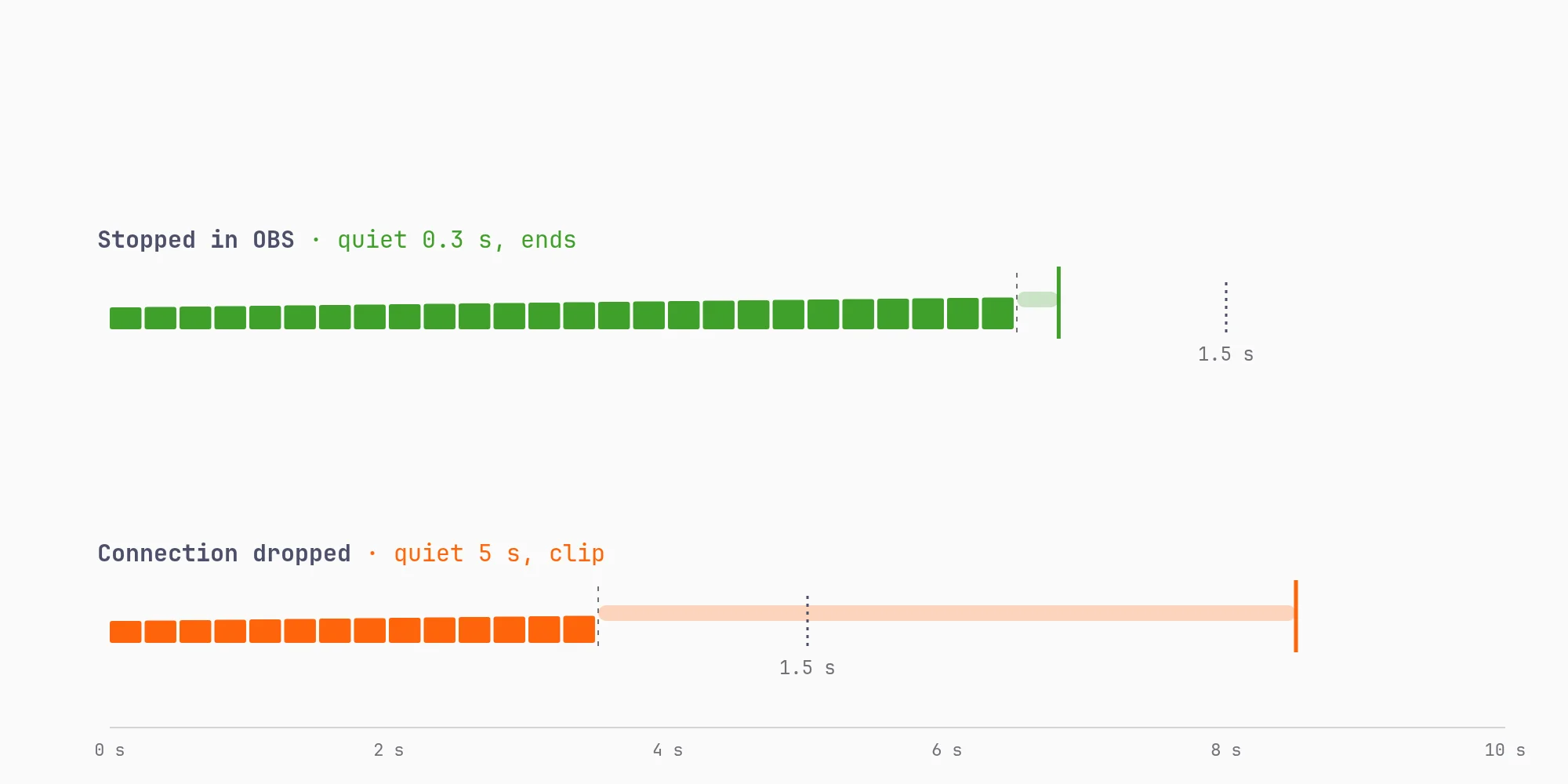
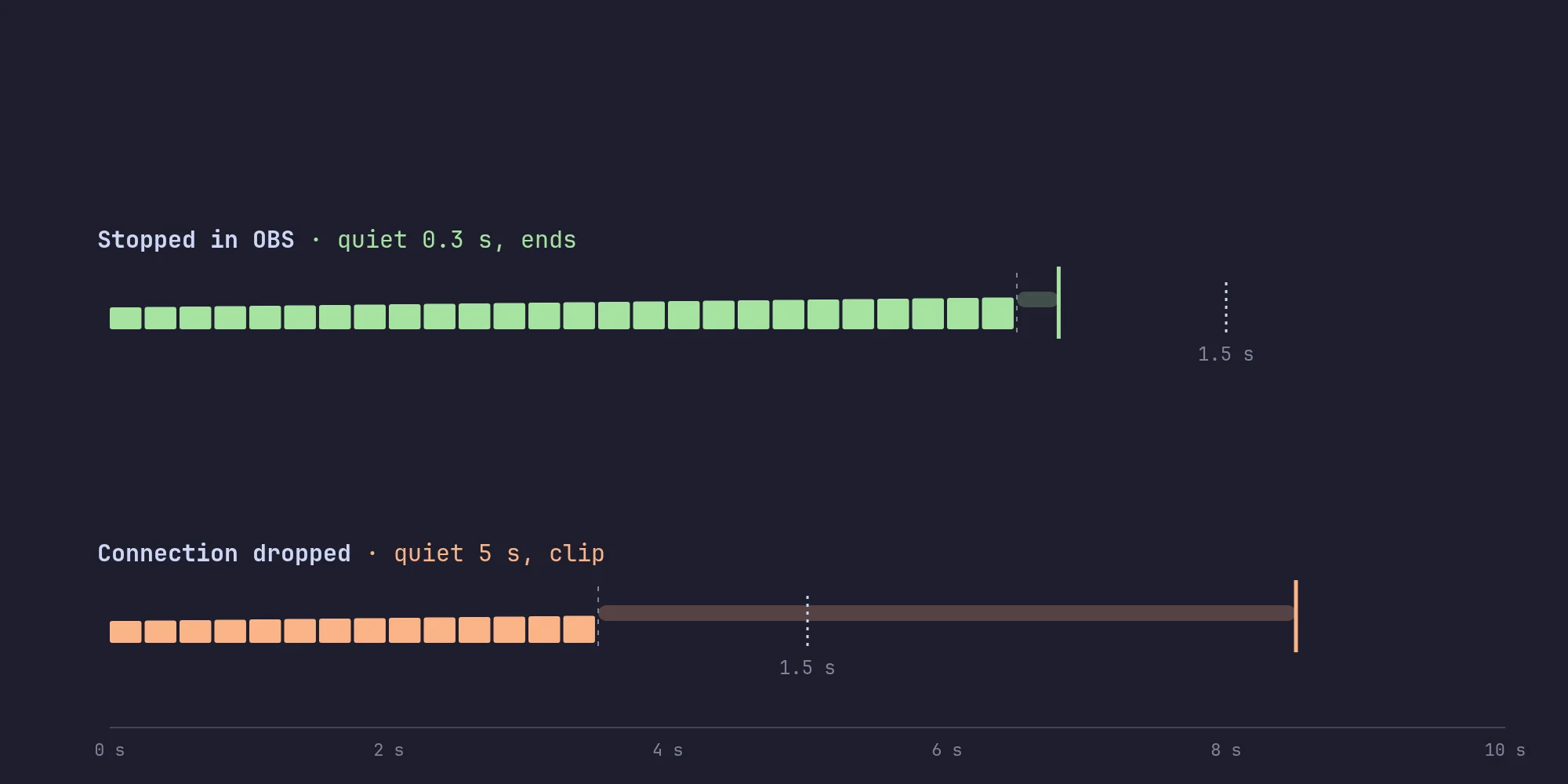
If it was a stop, the relay ends every platform's FFmpeg with SIGINT, which lets FFmpeg close the stream properly, so the platforms see it end rather than drop. If it was a drop, it leaves them running. FFmpeg's input never ended, because MediaMTX is now feeding it the clip.
Coming back, or not
When OBS reconnects, MediaMTX switches back on its own, and the relay notes how long I was gone. If I don't come back within five minutes (or whatever FALLBACK_FOR is set to), the relay ends the stream anyway, so a crashed PC doesn't leave a "be right back" screen running all night.
All the cases together:
| What happened | What the platforms see |
|---|---|
| I stop streaming in OBS | The stream ends |
| My connection drops | The clip, after 3 to 5 s |
| OBS or my PC crashes, over SRT | The clip |
| OBS crashes, over RTMP | The stream ends |
| I don't come back in time | The clip, then the stream ends |
The RTMP crash is the one that gets it wrong. When OBS crashes, the operating system closes its connection right away, so it looks just like a stop. Over SRT, which runs on UDP, there's no connection to close, so a crash looks like a drop, and the clip plays as it should.
A limit to keep in mind
SRT's buffer is what makes the gap shorter, and it can make it too short. With a latency of 2 seconds, a drop is quiet for about 3. With a much bigger buffer, data keeps arriving for longer after the connection is gone, and a drop starts to look like a stop. So the README says to keep SRT's latency at 2 seconds or less.
What it comes down to
MediaMTX did the hard part, swapping the clip in and out without breaking the stream. My part was one number: how long the stream was quiet before it ended. It's a heuristic, and it's wrong in one case I know about. But it's simple enough that I can explain every row of that table, and that's worth more to me than something cleverer.
No comments yet. Be the first!