Bringing my servers home
 NINikki Sophie 🌸6 min read2 views
In December my VPS was going to cost €47.95 a month instead of €19.39, for the same 8 shared cores and 24 GB of RAM. Over a year the difference alone is more than €340, and the whole bill is €575.
That's the kind of number that makes you open a parts list. So I built a server and brought everything home. Here's the account of it: what I paid, what had to stay outside, what got better by coming home, and what I traded for it.
What I paid for
| Part | What I picked |
|---|---|
| CPU | Intel Core i5-13500, 14 cores, 20 threads |
| Graphics | Intel UHD 770, for Quick Sync |
| Memory | 32 GB DDR4-3200 |
| Storage | 1 TB NVMe |
| Case | a 4U rack case in a small open-frame rack |
| Cooling | a Noctua NH-D9L and three Arctic fans |
| Total | €942.02 |
It lives in a room people sleep in, so quiet mattered more than speed. The CPU stays at Intel's default 65 W sustained limit, and it idles at under 30 °C.
What I didn't pay for, on purpose, was anything new in software. It runs Ubuntu Server 26.04 LTS, the same as the VPS, and every service is a Docker Compose stack in its own folder, also the same as the VPS. That way the move was mostly copying folders, not rebuilding things. I looked at Proxmox, TrueNAS and Unraid and didn't need any of them. I also left out disk encryption: a server with no screen has to come back on its own after a power cut, without waiting for someone to type a passphrase.
The first small costs came before any service moved. Ventoy, which I use for every other install stick, broke the Ubuntu installer's disk detection, so I wrote the image to the stick the plain way. And until the network cable arrived, the server ran on an old USB Wi-Fi stick doing about 2 MB/s. Good enough for updates, not for moving 240 GB of media.
What couldn't come home
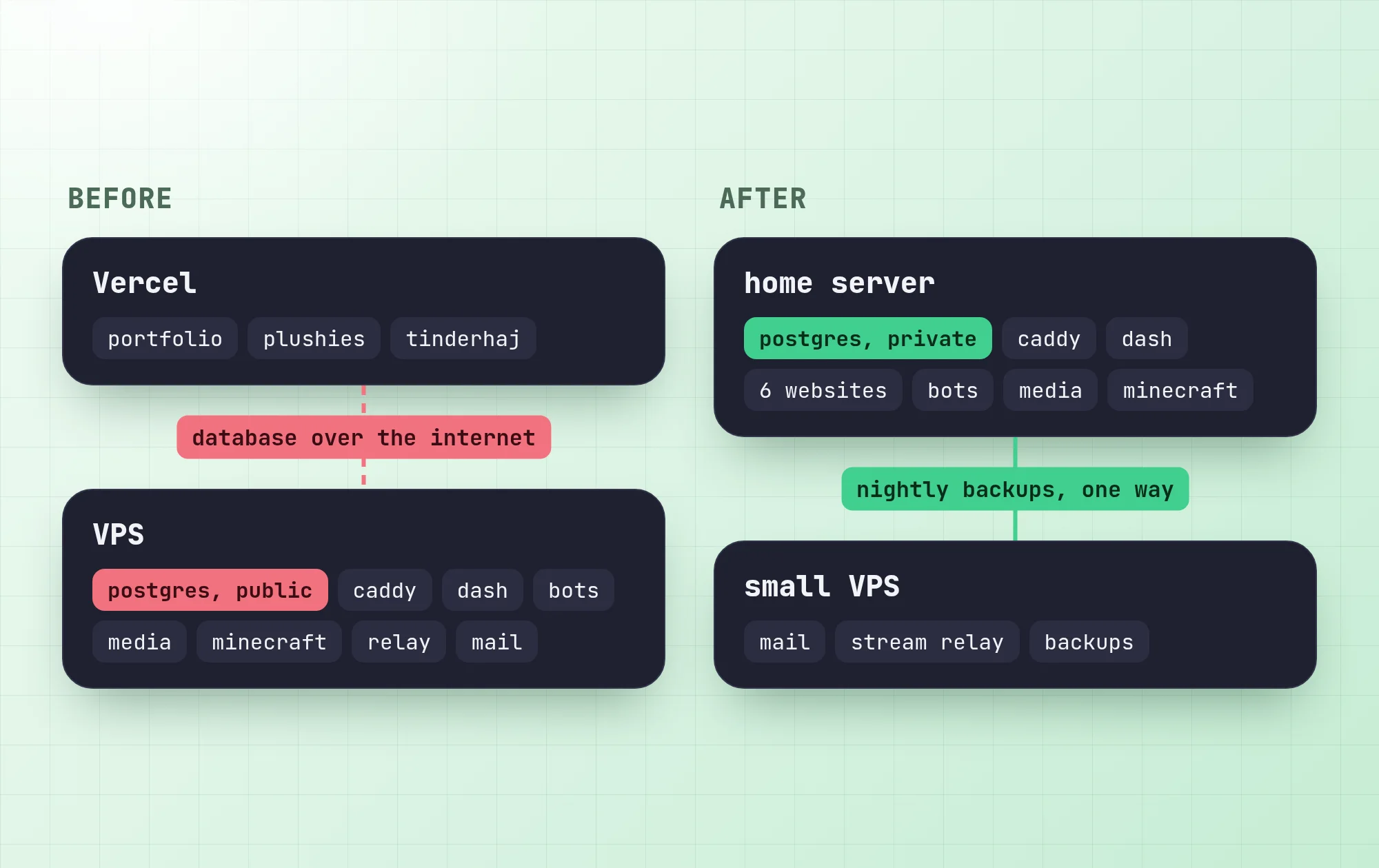
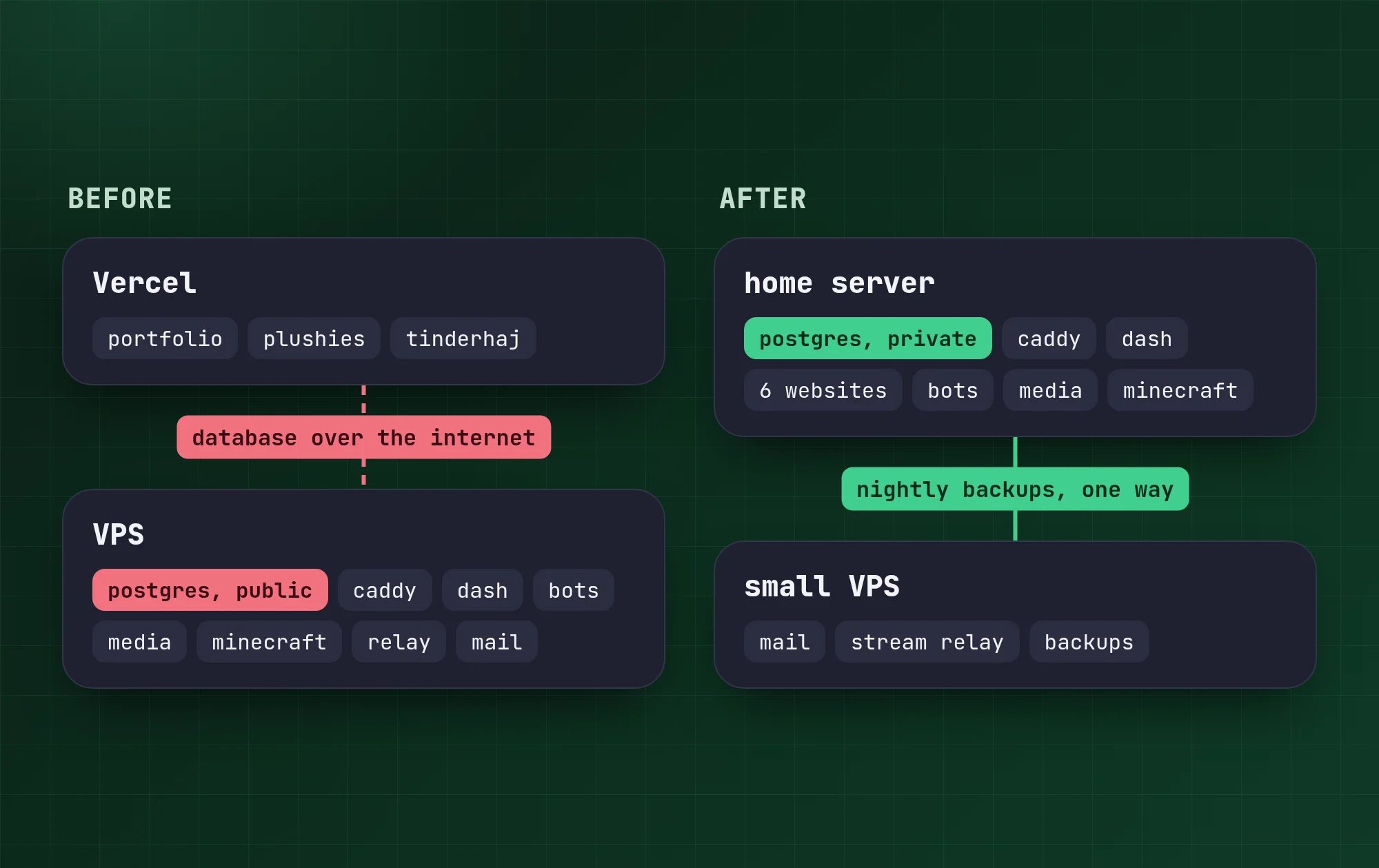
Mail. It moved first, on the Wednesday, to a small VPS of its own for €4.99 a month.
Mail servers are picky about who they talk to. Big providers like Gmail and Outlook treat mail from home internet addresses as spam, and many home connections block port 25, the port mail servers use to talk to each other. They also check that your address's reverse DNS points back at your mail server's name, which you can set for a VPS (it took one support ticket) but not for a home connection. And my home address changes from time to time, while a mail server needs one that other servers learn to trust.
Stalwart and Roundcube moved over that evening, the DNS records followed, and mail kept working. The new VPS also became the place my backups go.
The stream relay. It takes one stream from me and sends it on to Twitch, YouTube and the rest. At home, every one of those copies would go out over my upload. On the VPS, my upload only has to carry one.
What came home better
A database that's no longer on the internet. While planning the move I found something I'd half forgotten: my Postgres database on the VPS was reachable from the internet, protected only by a password.
That was on purpose at the time. My portfolio, plushies and the Tinderhaj website ran on Vercel, and Vercel's servers had to reach the database somehow. Their addresses change, so I couldn't even limit it to Vercel.
The fix turned out to be dropping Vercel. If the websites run at home too, the database never has to be reachable from outside the server at all. So on the Thursday every site got a Dockerfile and a Compose file, built the same way as my dashboard. That's six of them: portfolio, plushies, cute, readme-stats, gyrator and Tinderhaj.
A faster portfolio. Once the portfolio ran at home, pages loaded noticeably faster than they ever had on Vercel. The reason was distance.
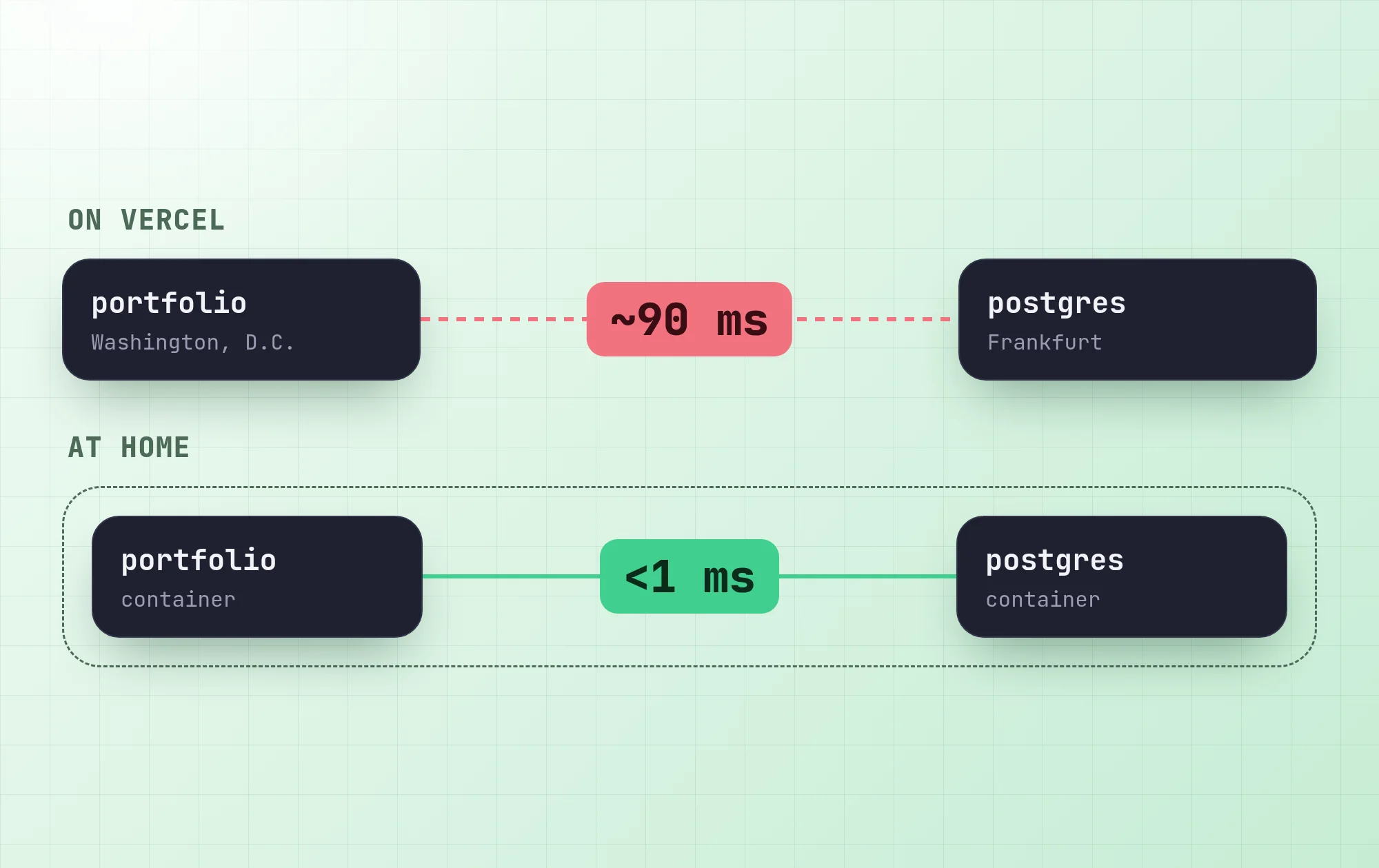
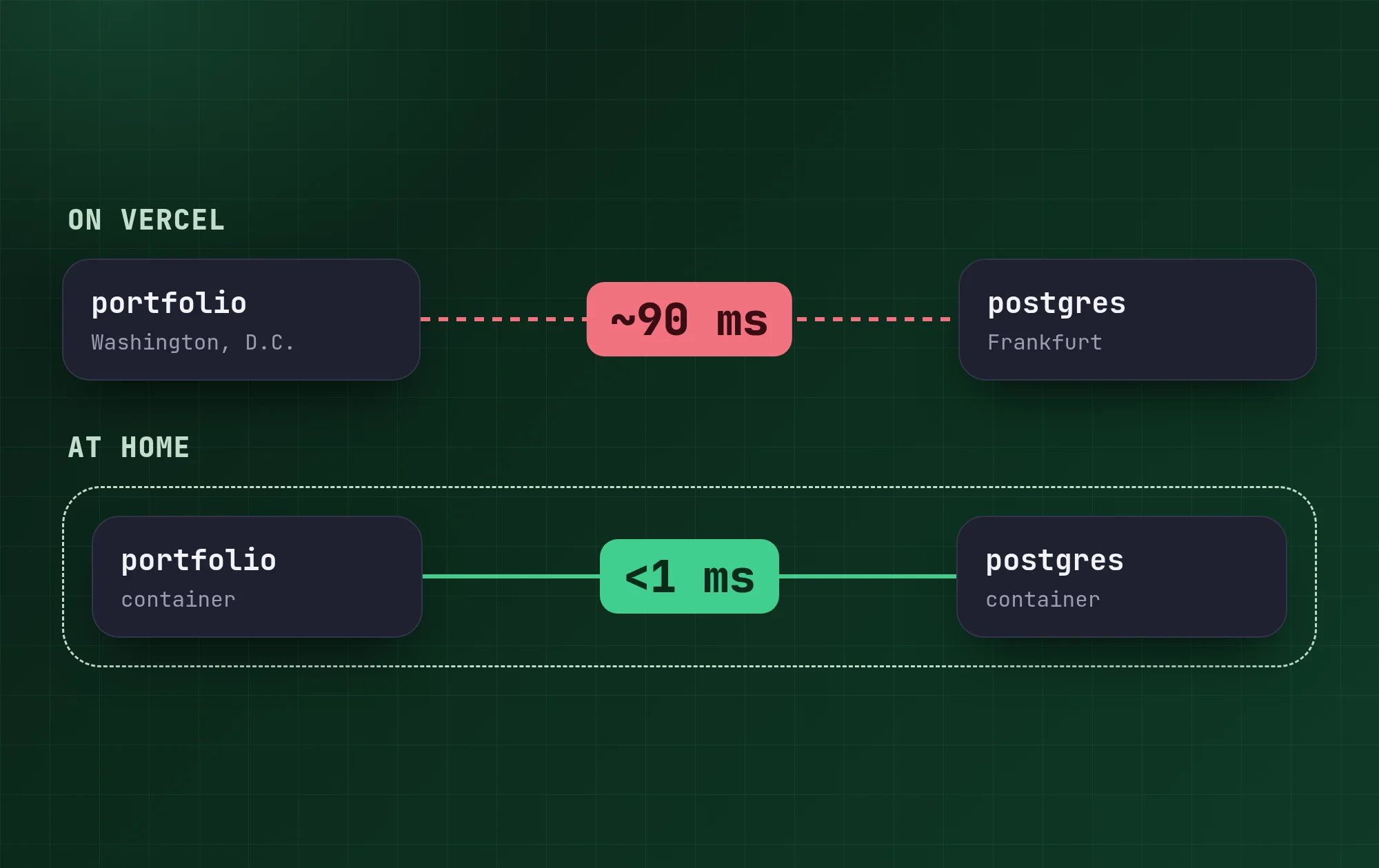
On Vercel, the site ran as serverless functions in Vercel's default region, Washington, D.C. The database was in Frankfurt. Every query crossed the Atlantic and came back, about 90 ms each time, and a page that needs a few queries pays that a few times. After a quiet stretch the function went to sleep, so the next visitor also waited for it to start and connect again.
Now the site and the database run on the same machine. A query goes through Docker's internal network and comes back in well under a millisecond, the site never sleeps, and its connections stay open.
Video that the graphics chip handles. Jellyfin now transcodes with the server's Intel graphics and Quick Sync, instead of the CPU doing all the work.
Moving in, the Friday
The cable arrived, the server moved next to the router, and it went from 2 MB/s on Wi-Fi to 2.5 Gbit wired. Three things had to be in place before anything could be reached from outside:
- Two open ports. The router forwards 80 and 443 to the server, and nothing else. Caddy answers on both and gets the HTTPS certificates for every site. SSH isn't reachable from the internet at all.
- An address that follows me. My home IP isn't fixed, so a small container checks it every minute and updates Cloudflare when it changes. Every one of my domains is a CNAME to a single name, so a new address means updating one record, not twenty. With a TTL of 60 seconds, a change is visible everywhere within about two minutes.
- Backups that only go one way. Every night the dashboard backs up the databases and settings to the mail VPS. The VPS can't reach back into my home.
Then it was one stack after another: the dashboard first, so I could watch the rest arrive, then the websites, the Discord bots, the Ludo game, the stream editor, Minecraft, and the media stack last. Each one was the same routine: copy the folder, restore its database, start it, check it, then point its domain at home.
The media library was the slow part: 241 GB copied with rsync at about 70 MB/s, which is most of what my connection can download. I wondered whether compressing it first would be faster, but video is already about as compressed as data gets. An archive would also have needed more space than the old VPS had free. rsync writes every file straight to where it belongs, and it can pick up where it left off if the copy stops.
What I gave up
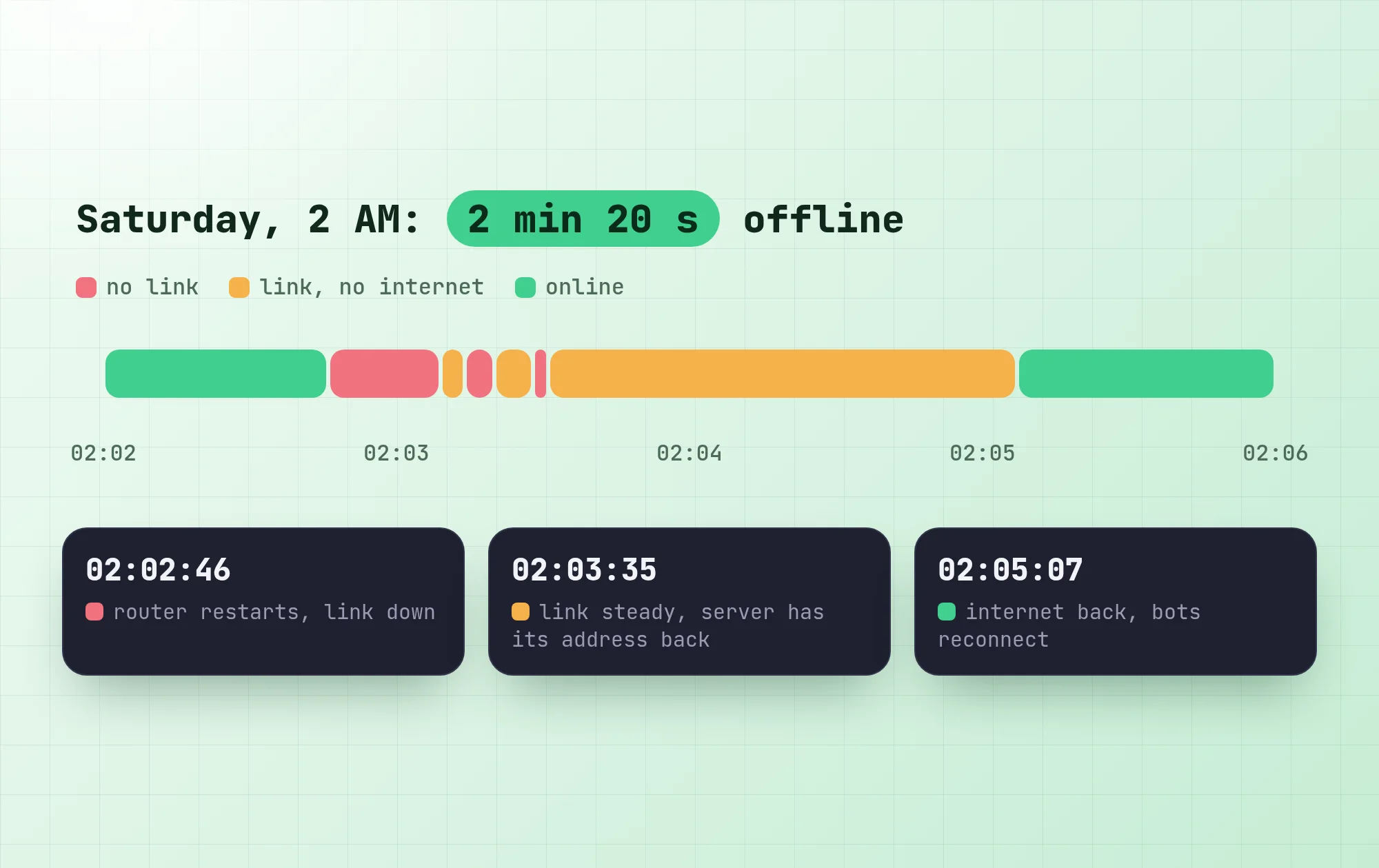
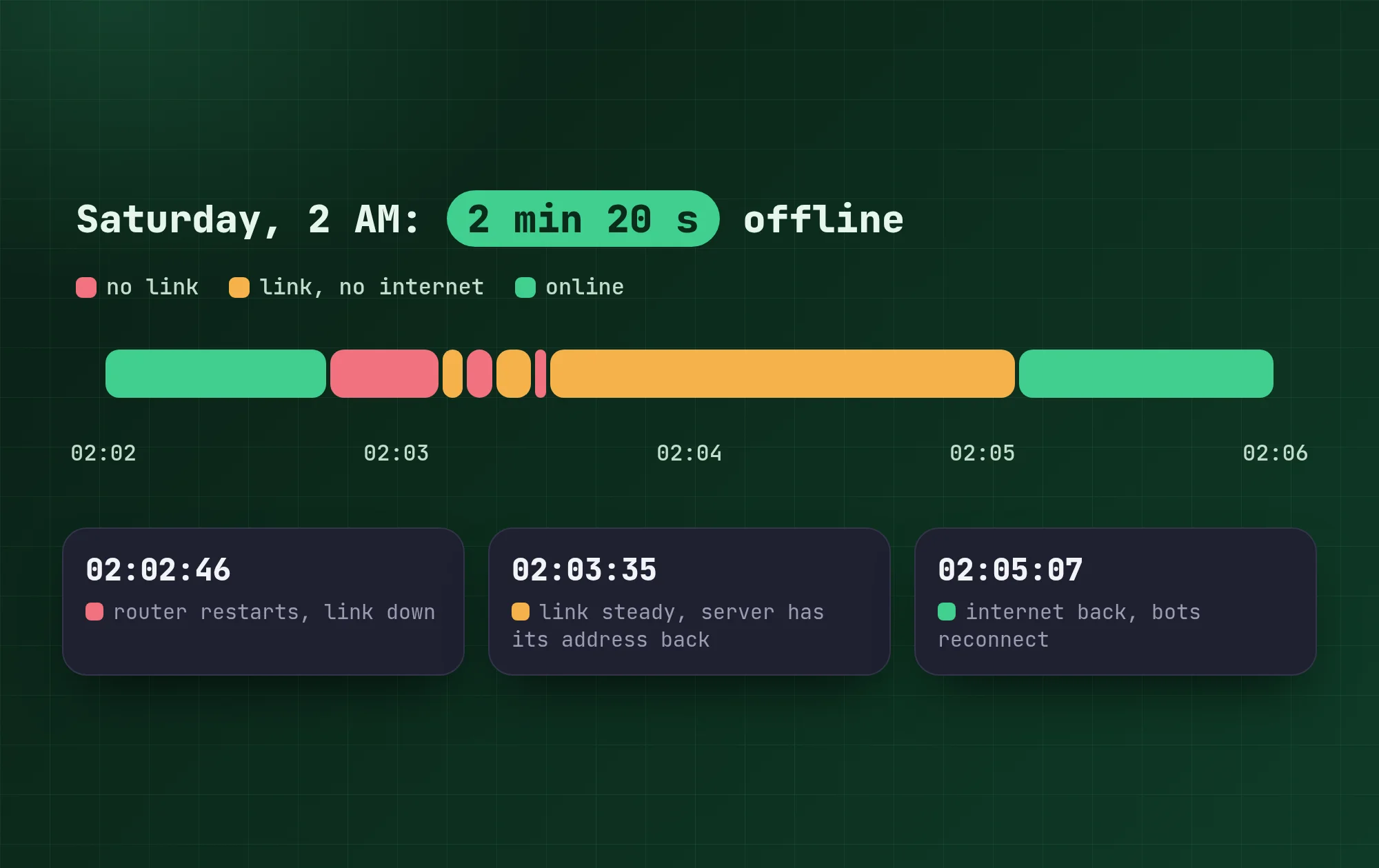
A datacenter has backup power and several connections. I have one router and one line. When either goes down, so does everything I host. I found out what that looks like on the first Saturday, at 2 AM, when the router installed a firmware update and restarted on its own. The server's logs:
The cable link flickered a few times while the router's ports started up and was steady after 45 seconds. The server had its address back four seconds after that. The internet took longer: the router still had to reconnect to my provider, so the bots kept failing to look up Discord until just after 02:05. All in all, everything was unreachable for about two minutes and twenty seconds.
Nothing needed fixing afterwards. Every container kept running, the bots reconnected on their own, and nobody noticed but the logs. Two minutes now and then is the price, and I'd rather say it plainly than pretend home hosting has none.
The sum
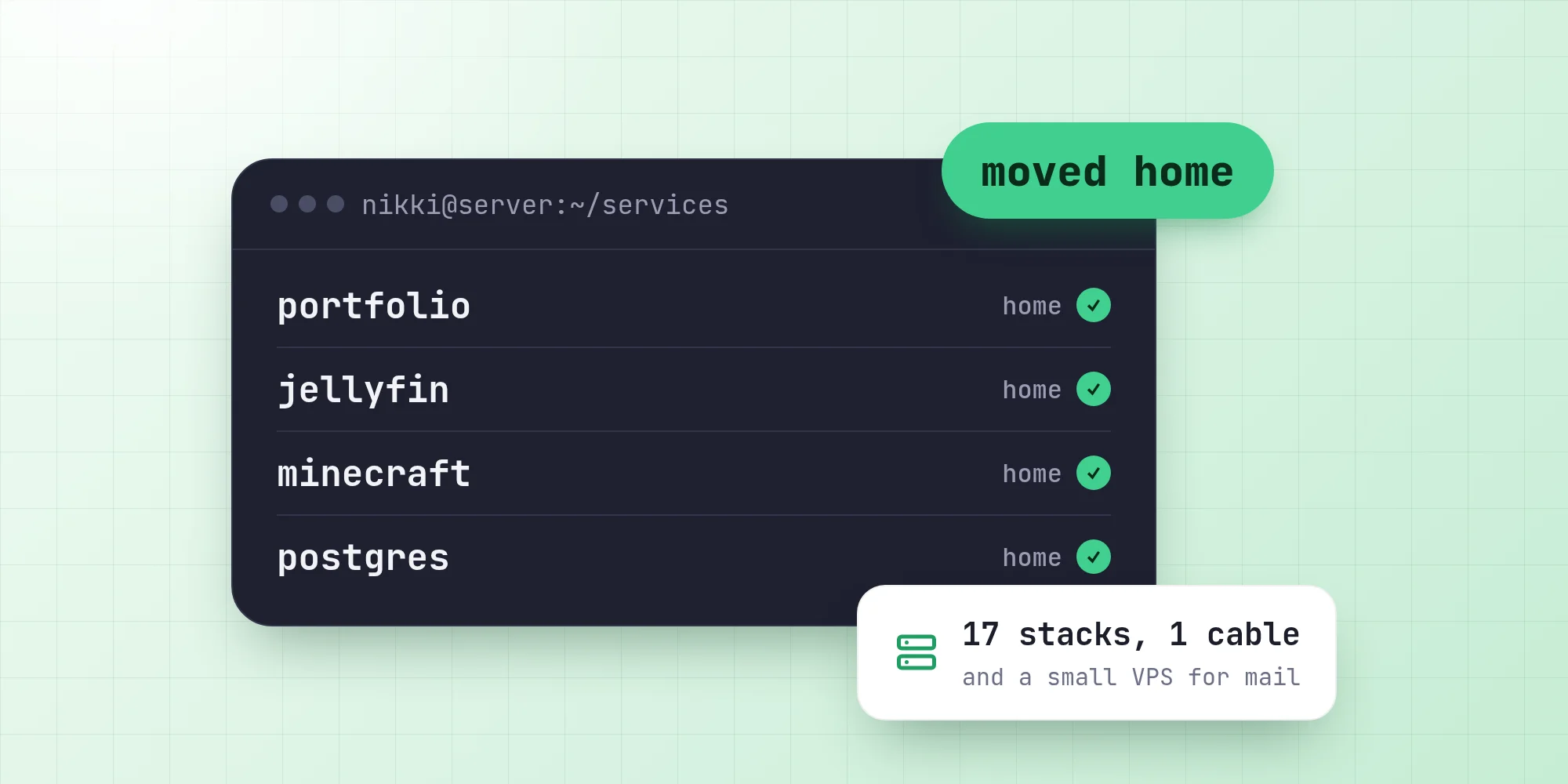
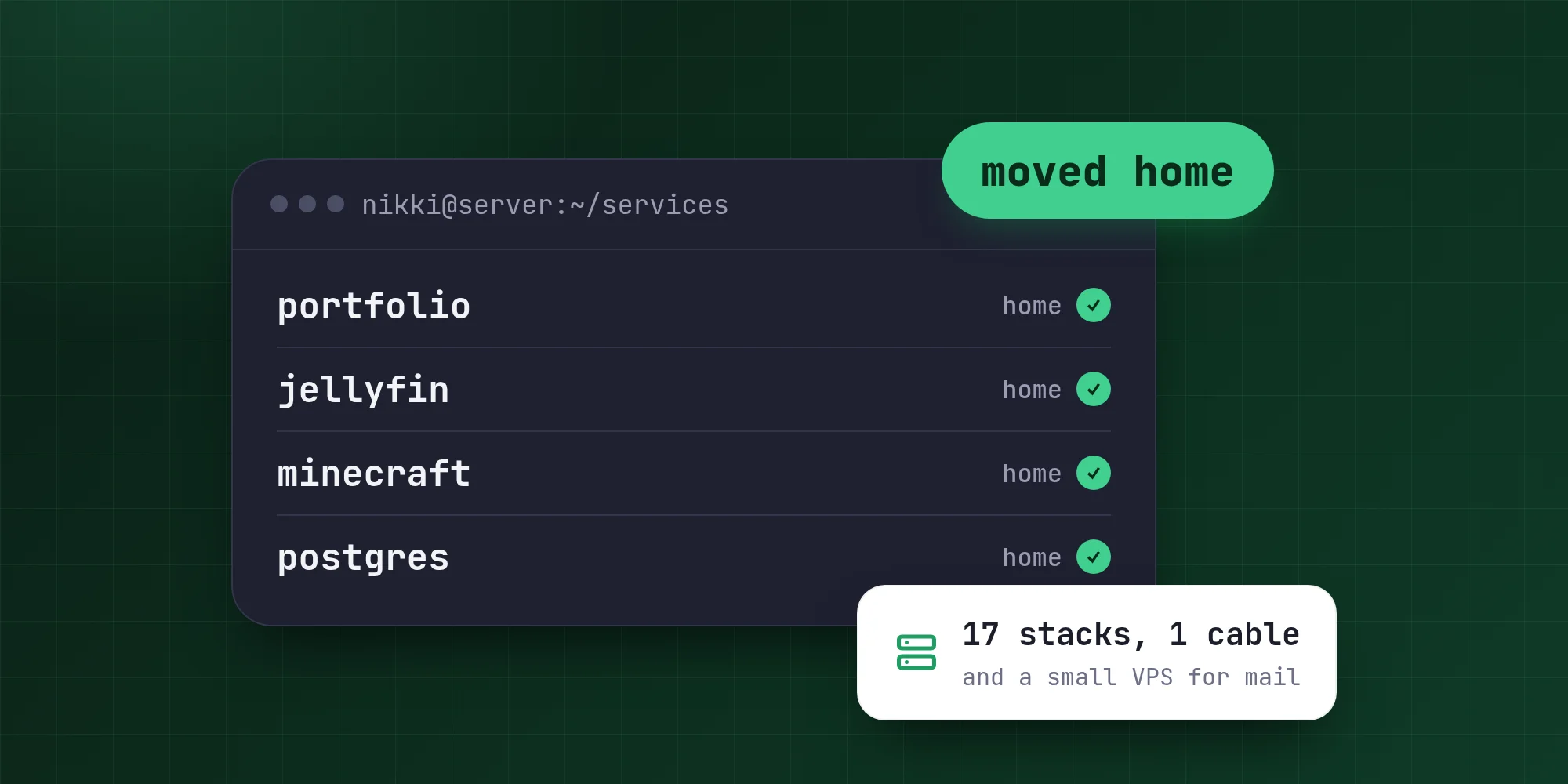
The old VPS is shut down. Seventeen stacks run at home, and mail, backups and the stream relay run on a €4.99 VPS. The server uses 12 of its 32 GB of memory and a third of its disk.
The server cost €942 and the small VPS costs about €60 a year. Leaving out electricity, that's paid off in under two years against the new price. In the meantime I have a machine that's faster than the VPS was, that I can open up and add to, and that sits close enough to hear. It's quiet, as it should be.
No comments yet. Be the first!